
TL;DR
- Infrequent contract requesters often abandon contract lifecycle management (CLM) software when submitting a request feels more cumbersome than attaching a document to an email.
-
When casual users bypass the CLM platform, organizations suffer from disjointed workflows, wasted software investments, longer cycle times, and blind spots in contract metrics.
- Prioritizing clean, intuitive UI/UX for occasional users: rather than treating usability as an afterthought, it is essential to drive consistent adoption and protect CLM ROI.
Who Is This For?
This article is for legal operations leaders, procurement professionals, contract managers, IT decision-makers, and business executives evaluating or optimizing CLM software. If your organization struggles with employees bypassing your contract system in favor of email attachments, ad-hoc approvals, or shared drives, intuitive UI/UX is the missing link between deployment and measurable business value. A modern, accessible CLM interface meets all users (daily and occasional) where they work, turning passive contract intake into standardized workflows and reliable reporting data.

Context: Why CLM Adoption Stalls Before It Even Starts
Contract management software helps power users who use the system daily in myriad ways. Legal, procurement, and contract administrators can leverage a seemingly endless array of CLM features, procurement tools, integrations, and more. However, infrequent users - such as contract requestors across departments - should also be considered. Unlike daily users (who choose CLM tools with long-term governance in mind), occasional users tend to evaluate CLM tools through the lens of immediate effort.
When encountering some CLM platforms, these occasional users sometimes find that sending an email attachment the old way actually beats CLM. Multi-step intake forms. Unfamiliar terminology. Rigid fields. It's all too much for the infrequent user - who can cut the overwhelm by firing off a quick email with a file attached.
"UI/UX and ease of use are really critical to CLM software adoption," opines Brittany DiCamillo, a CLM software expert at CobbleStone Software.
"I think many organizations have implemented software solutions that simply go unused because the general user population - or those who access the system more infrequently, like occasional requesters - refuse to adopt it when the process is more cumbersome than simply sending an email with the contract attached to have someone review it," she continues.
How Poor UI/UX Triggers Measurable Business Damage
Poor UI/UX triggers measurable business damage when occasional users opt to handle things off-system instead. Off-platform requests scatter context, details, versions, and approvals across inboxes and local drives. Missing intake details can slow down legal review. Ultimately, this can inflate contract cycle times.
The chain reaction is as follows: CLM is bypassed. Then, off-system contracting ensues. Resulting from that is incomplete metadata. Ultimately, then, users face unreliable contract management KPIs and cycle-time reporting.
"Bypassing the system results in disjointed processes, money and time wasted on implemented systems, increased cycle times, and a lack of insights into cycle times and contract metrics," explains CobbleStone's Brittany DiCamillo.
There is a failure in making a business case (because such a case is, consequentially, non-existent). Licenses go underutilized. Rollouts are stalled. All in all, there is low adoption and wasted potential.
Moving Past Generic "UX Matters" Sentiments in CLM
Industry commenters widely agree that good UX supports adoption. However, the conversation often centers on power users. Change management checklists and surface-level navigation are also focal points. Designing solely for frequent legal or procurement users leaves occasional requestors behind. And yet, many CLMs still embark on such routes.
Leading CLM software providers, on the other hand, simplify intake paths so that submitting a request is faster and clearer than emailing a draft. Clean, intuitive layouts and actions - along with guided prompts - reduce hesitation for infrequent visitors.
Turning Casual Adoption Into Standardized Contract Visibility
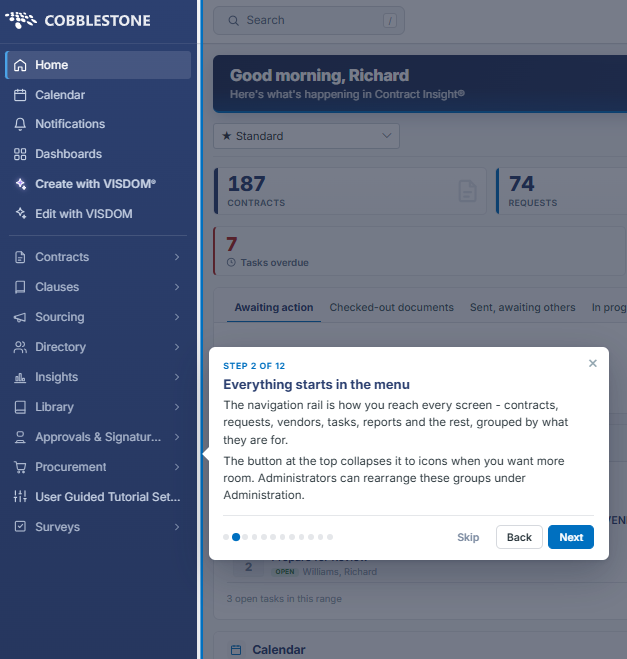
An intuitive intake experience in CLM software beats emails any day. Prospective users should choose a solution that naturally gathers structured metadata and stakeholders upfront. Clean front-end usability results in cleaner downstream reporting/cycle time tracking and auditability.
"Lack of adoption is one of the most common reasons organizations stop utilizing their CLM," explains CobbleStone's Brittany DiCamillo.
"Having a clean and modern UI/UX will result in more use."
Occasional users drop off or default back to email when the provider ostensibly keeps, at the top of mind, daily users throughout each step of the process (effectively alienating the occasional user at every step). Indeed, some CLM software providers are overzealous when aiming to provide a start-to-finish CLM experience. A truly worthwhile CLM is intuitive even to those who have not undergone extensive CLM software training.
Have you found solutions that reward daily and occasional users alike? Want to make a case to higher-ups for CLM software?
Download this free guide to succeed in getting all the necessary players on board with the investment.

The Future of CLM Usability and Adoption
The CLM provider of the day should prioritize strong backend capabilities along with low-friction and human-centered design. Sustainable CLM success depends on making the right process the easiest process for every employee.
Book a free demo of CobbleStone today to experience a CLM solution that prepares all of your users for success!
FAQ

*Legal Disclaimer: This article is not legal advice. The content of this article is for general informational and educational purposes only. The information on this website may not present the most up-to-date legal information. Readers should contact their attorney for legal advice regarding any particular legal matter.