

As organizations face increasing pressure to manage complex contracts quickly, clearly, and collaboratively, the tools they rely on must evolve just as quickly - if not more. CobbleStone Contract Insight® 22.6.0 continues that evolution by refining how teams work together and keeping them organized throughout the contract lifecycle. This release focuses on making contract management feel smoother, smarter, more collaborative, and more intuitive — empowering users to navigate CLM confidently and keep momentum from the very first draft to the final signature.
Collaborative Online Editing: Real-Time Document Teamwork
We're thrilled to introduce a more seamlessly collaborative contract drafting and negotiation experience with the new and improved collaborative online document editing interface.
There is a new option in the Attachments & Templates area of CobbleStone Contract Insight to "Start Collaboration."
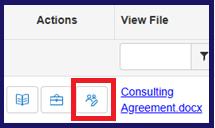
Users can enjoy a sleek, familiar word processing interface and easily invite collaborators and assign their permissions with just a few clicks!
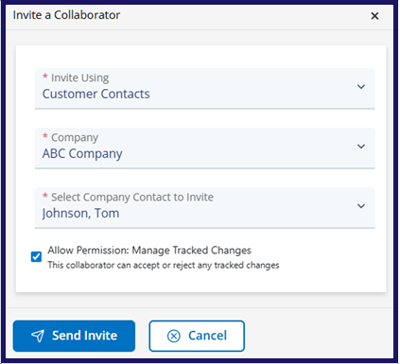
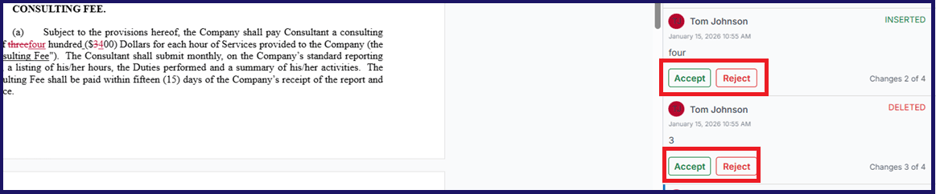
Changes are automatically tracked as insertions or deletions with dates, times, and users accounted for, and users can accept or reject collaborators' edits based on the permissions configuration. The same applies to comments!
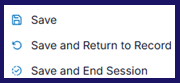
When finished with collaboration, simply Save and End Session to finalize your work!
In an age of ever-increasing contract complexity and volume, your team needs the right tools to work together as efficiently as possible with the fewest bottlenecks. This feature enables contract workflows at breakneck speed, helping your team stay competitive and get the most possible value from contracts.
Edit Contracts Online With Contract Intelligence at Your Side!
Imagine contract intelligence at your fingertips while editing contract documents online? Well, now you don't need to just imagine it. You can experience it for yourself - whether you are in MS Word or CobbleStone Contract Insight.
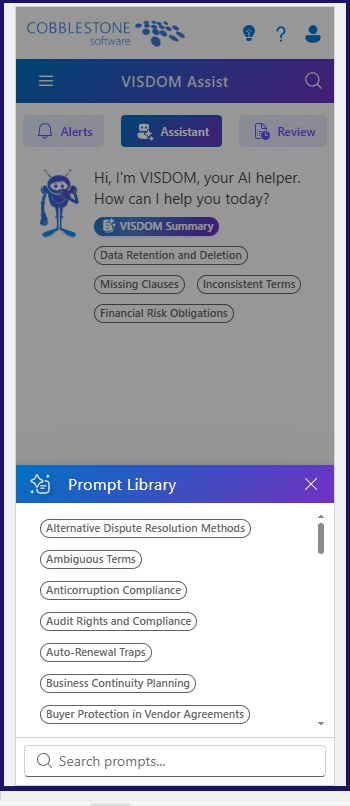
First off, you can enjoy a VISDOM Assist chatbot, complete with a prompt library to get you started with what you need! Need to generate a clause? Have a question about contract compliance? VISDOM has got you covered.
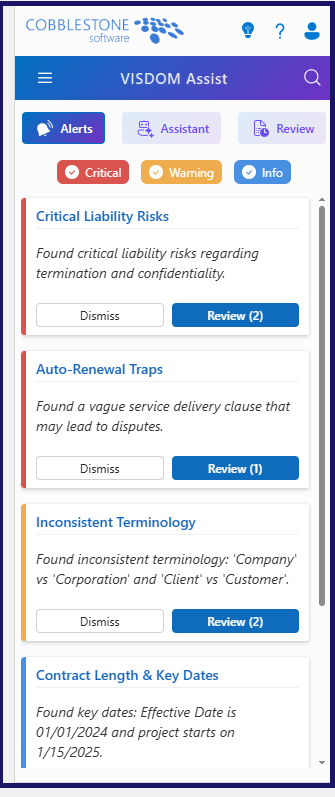
Secondly, the Alerts tab helps you proactively flag potential risks related to language, traps, and more. It’s your early warning system, so you can catch issues before they escalate.
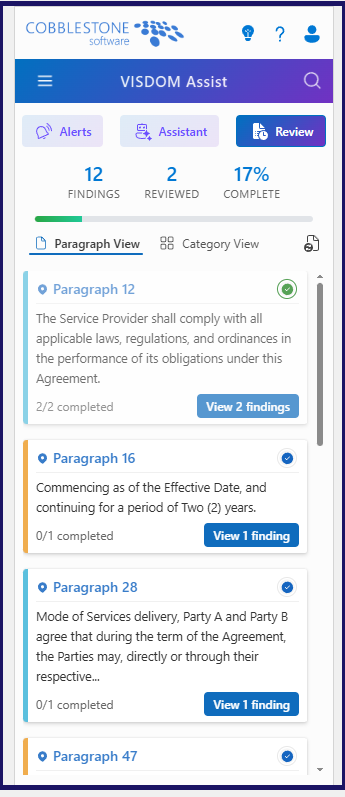
Finally, the Review tab performs an automated document review, checking for everything from provisions and terms to contract structure and completeness. It ensures quality and consistency without the manual headache.
Now you have the same powerful insights and editing tools across MS Word and CobbleStone Contract Insight interfaces for document editing!
Contract Details: Easy Navigation, Viewing & Field Editing
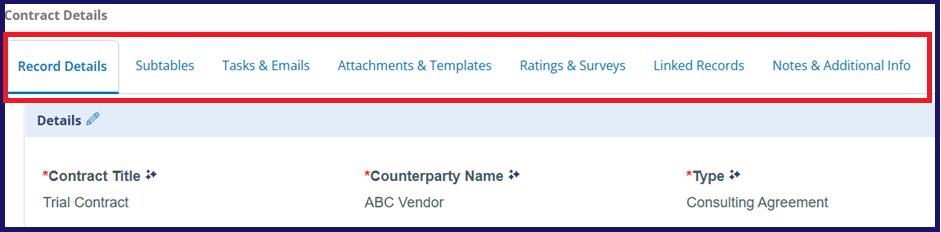
First off, there is a subtle but meaningfully performance-enhancing change to the clickable tabbed details screens, pictured below.
So what's new?
When you click a tab for the first time, it takes a small moment to load... but after that initial load, tabs remain ready for instant access, barring a page refresh.
Field editing just got easier as well. How, you say?
If you click on the Pencil Icon above any field group, you will see a new display, shown below.
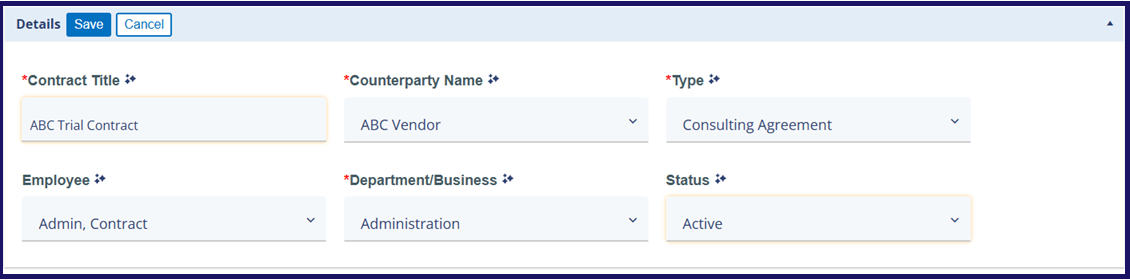
This option allows you to edit all fields in that group inline. Changed fields are outlined in yellow so you can easily keep track of changes. Furthermore, required fields that have not been filled in are highlighted in red with a notice. You can easily save changes or cancel them at the click of a button.
Finally, we've got a simple way to reduce visual clutter and give you more space to focus on strategic contract management.
On any record details page with a side panel, you'll now see a collapse/expand button at the top right. This button will collapse or expand the left-side menu as needed. Your preferred position will stay in place even if you refresh or navigate to another page.
Expanded

Collapsed
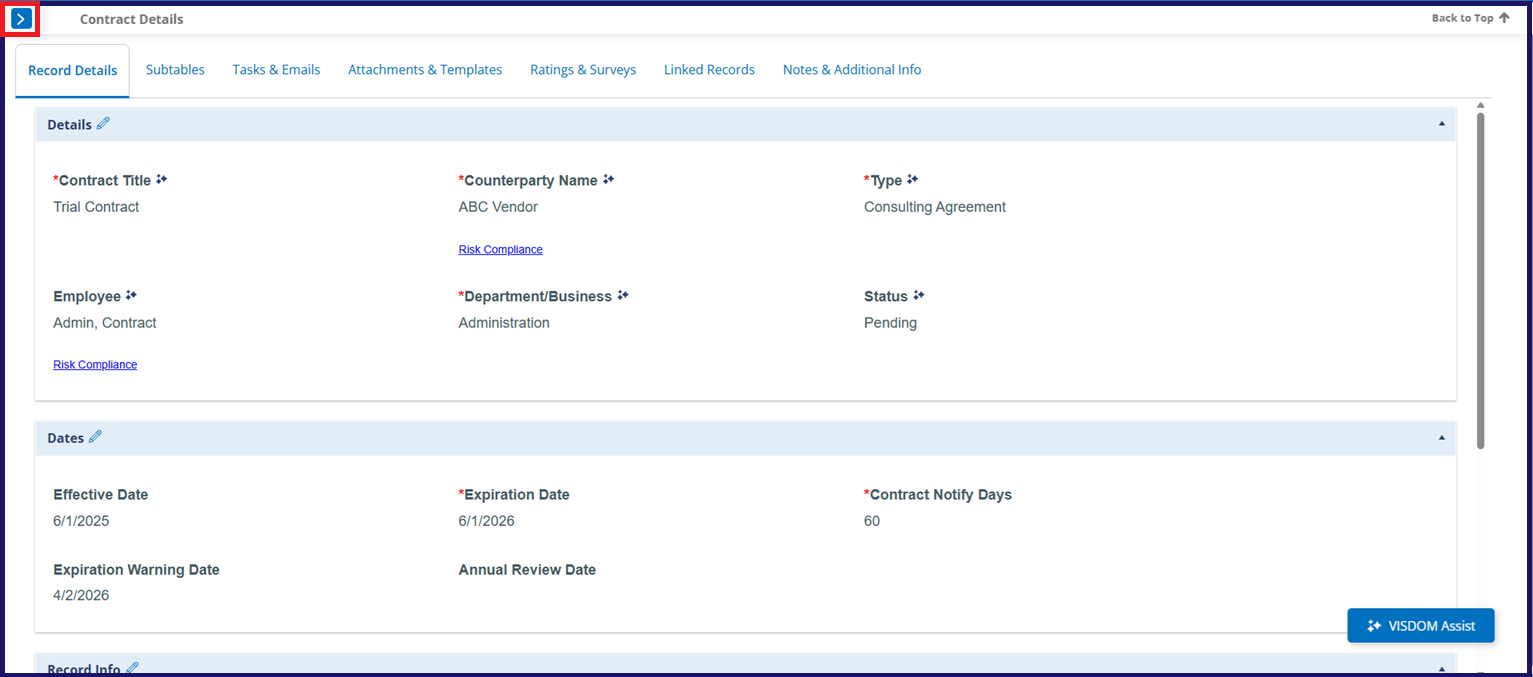
In contract lifecycle management, every second counts. These changes might seem small, but they add up. The updates improve performance and streamline editing - making it faster and easier to manage contracts and metadata.
Improved Document Governance for Contracts, Templates, & More
To foster greater contract and document template governance, we've got two new options.
When uploading a document to a template and opening Manage File Info, you'll see the following options to Convert to PDF or Lock PDF.
These options give you greater flexibility and control over document formatting and security - helping you ensure that your templates remain consistent and protected as needed.
Note: PDFs designated as Locked remain locked throughout the Document Collaboration workflow, including when they are previewed or downloaded. After the document is attached to a record, it is no longer locked when downloaded from the Files/Attachments and can be edited.
3 COMPLIMENTARY (Monthly) Approval & Signing Processes
Want to test out the benefits of CobbleStone Software's eApprovals & eSignatures without immediately committing to the Document Collaboration & IntelliSign® Module?
Now's your chance!
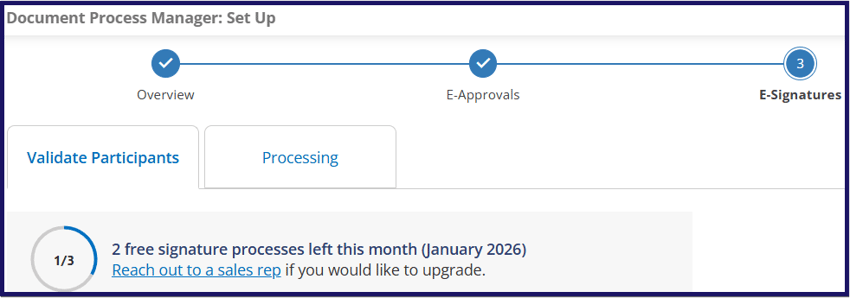
The Specifics:
- Get 3 free IntelliApprove/E-Approval processes and 3 free IntelliSign/E-Signature processes each month.
- Usage resets on the first of every month.
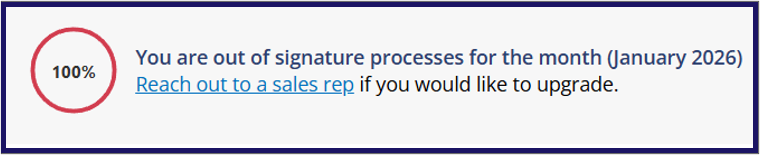
- When starting a signing or approval process, you’ll see a banner showing how many free processes you’ve used out of your monthly total.
- Once you reach your limit, you will be prompted with a link to email the CobbleStone team to upgrade to unlimited eApprovals and eSignatures.
Simplified Contract Signing Options
IntelliSign just got even easier to use thanks to reduced clicks and streamlined signing.
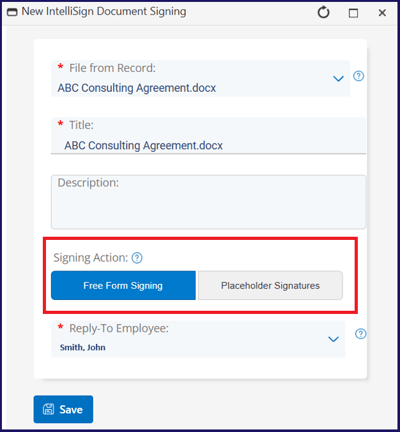
The Signing Actions options have been redesigned to allow for either Free Form Signing (Sign Anywhere) or Placeholder Signatures.
This update simplifies the workflow, reducing unnecessary clicks and providing a cleaner, more user-friendly interface for managing electronic signatures.
SAM.gov Integration for Faster Vendor Registration
Vendor registration can come to a crawl—especially when vendors have to manually enter the same information that already exists in SAM.gov.
To cut down on that friction, we’ve added direct SAM.gov lookup to the Vendor/Client Gateway for clients with a SAM.gov license. Now vendors can simply type in their Company Name or UEI code and quickly see matching SAM.gov entities, choose their record, and let the system auto‑populate core details like company name and location.
This update removes the guesswork and repetitive data entry that often slows onboarding, helping vendors complete registration faster and with fewer errors.
The Takeaway
From drafting and reviewing to signing and vendor onboarding - CobbleStone Contract Insight 22.6.0 has it all! To see these features and enhancements and more in action, schedule a free demo and explore how your organization can benefit. Existing clients can reach out to their CobbleStone account representative for guidance on enabling or optimizing these new features.
*Legal Disclaimer: This article is not legal advice. The content of this article is for general informational and educational purposes only. The information on this website may not present the most up-to-date legal information. Readers should contact their attorney for legal advice regarding any particular legal matter.